学习 hexo博客 Anzhiyu主题文章测试语法 微言 2025-09-14 2025-09-20 网址缩短
下面视频的内容折叠了( 方便测试文字内容) 1 2 3 4 5 6 7 8 9 10 11 12 13 14 15 16 17 18 19 20 21 22 23 24 25 26 27 28 29 30 31 32 33 34 35 36 37 38 39 40 41 42 43 44 45 46 47 48 49 50 51 52 53 54 55 56 57 58 59 60 61 62 63 64 65 66 67 68 69 70 71 72 73 74 75 76 77 78 79 80 81 82 83 84 85 86 87 88 89 # 删除我上面3个```符号(下面还有一个,成对用的) ## 主要演示视频 <video src ="http://ltopwrt.545818.xyz/hx.mp4" controls width ="100%" preload ="metadata" poster ="https://blog.cmliussss.com/img/jiso.jpg" > 您的浏览器不支持 video 标签。 </video > ## 演示折叠视频效果: <details id ="videoBox" > <summary > </summary > <video src ="https://blog.cmliussss.com/img/jiso.mp4" controls width ="100%" > </video > <br > <button onclick ="document.getElementById('videoBox').removeAttribute('open')" > 收起 </button> </details> ## 演示视频 A <video src ="http://xz2.ocmn.cn:88/1.mp4" controls autoplay muted loop playsinline width ="100%" > </video > ## 演示视频 B 好的👌,那我帮你改成带 controls + width=100% + autoplay(不静音) 的版本。 在你的 .md 文件里这样写:解释: controls → 显示播放控件 autoplay → 自动播放(浏览器一般要求 必须加 muted 才能生效) muted → 静音,才能让 autoplay 在大多数浏览器中生效 loop → 循环播放 playsinline → 在移动端防止强制全屏 这样你在安知鱼主题下写 .md,编译后就能正常嵌入视频。 <video src ="https://blog.cmliussss.com/img/jiso.mp4" controls autoplay loop playsinline width ="100%" > </video > ## 演示视频 C <details > <summary > </summary > <video src ="https://player.bilibili.com/player.html?aid=226886152&bvid=BV1Ch41137tR&cid=1081639816&p=1&autoplay=0" controls autoplay loop playsinline width ="100%" > </video > <button onclick ="this.closest('details').removeAttribute('open')" > </button > </details > ## 演示视频 D {% span center code h4 red, 海康威视4G摄像机 手机配置有线网络添加 关闭4G网络 %} <iframe src ="//player.bilibili.com/player.html?isOutside=true&aid=1903742863&bvid=BV11m411y7mY&cid=1520088689&p=1" scrolling ="no" border ="0" frameborder ="no" framespacing ="0" allowfullscreen ="true" width ="100%" height ="500px" > </iframe > ## 演示视频 E {% span center code h4 red, 海康威视4G摄像机 手机配置有线网络添加 关闭4G网络 %} <div class ="video-container" > <iframe src ="//player.bilibili.com/player.html?isOutside=true&aid=1903742863&bvid=BV11m411y7mY&cid=1520088689&p=1" scrolling ="no" border ="0" frameborder ="no" framespacing ="0" allowfullscreen ="true" > </iframe > </div > <style > .video-container { position: relative; width: 100%; padding-top: 56.25%; /* 16:9 aspect ratio (height/width = 9/16 * 100%) */ } .video-container iframe { position: absolute; top: 0; left: 0; width: 100%; height: 100%; } </style> # 删除我下面3个```符号(上面还有一个成对使用)
AnZhiYu主题中大部分标签移植于店长的hexo-butterfly-tag-plugins-plus,转载请注明来自安知鱼 本文详细链接在这里Anzhiyu MarkDown编辑器语法
我发现的符号:
🐮 表格 1 2 3 | 表头 1 | 表头 2 | 表头 3 | 表头 4 | | :----- | :------: | -----: | ------ | | 左对齐 | 中间对齐 | 右对齐 | 默认 |
表头 1
表头 2
表头 3
表头 4
左对齐
中间对齐
右对齐
默认
1
2
3
| 表头 1 | 表头 2 | 表头 3 | 表头 4 | | :----- | :------: | -----: | ------ | | 左对齐 | 中间对齐 | 右对齐 | 默认 |
字体加粗 这是加精前的样子这是加粗后的样子 I have a dream that one day this nation will rise up.
1 2 3 4 这是加精前的样子 **这是加粗后的样子** I have a dream that one day this nation will rise up. **I have a dream that one day this nation will rise up.**
🐭 斜体
🐹 删除线
🐻 超链接 1 [微言博客 ](https://blog.545818.xyz )
🐼 图片 1 
🙉 下划线
🙊 上标(语法不正确) I have a dream that one day this nation will rise up.^[1]^
1 I have a dream that one day this nation will rise up.^[1]^
🐒 下标(语法不正确)
🐰 行内代码
🦊 块级代码 1.
const text = ref(“Hello Editor!”);
2.
1 2 3 4 5 import { ref } from "vue" ;import { MdEditor } from "md-editor-v3" ;import "md-editor-v3/lib/style.css" ;const text = ref ("Hello Editor!" );
1 2 3 4 5 6 7 8 9 10 11 12 13 14 1. import { ref } from "vue"; import { MdEditor } from "md-editor-v3"; import "md-editor-v3/lib/style.css"; const text = ref("Hello Editor!"); 2. ```js import { ref } from "vue"; import { MdEditor } from "md-editor-v3"; import "md-editor-v3/lib/style.css"; const text = ref("Hello Editor!");
🐻❄️ 引用
🦁 任务列表 1 2 3 - [ ] 周五- [ ] 周六- [x] 周天
🐷 数学公式 1. 🐽 行内
2. 🐸 块级 1 2 3 $$ \sqrt[3]{ x} $$
🙈 提示 !!! note 支持的类型
note、abstract、info、tip、success、question、warning
failure、danger、bug、example、quote、hint、caution、error、attention
!!!
!!! success Title
!!!
!!! bug Title
!!!
!!! abstract Title
!!!
!!! attention Title
!!!
!!! caution Title
!!!
!!! danger Title
!!!
!!! error Title
!!!
!!! example Title
!!!
1 2 3 4 5 6 7 8 9 10 11 12 13 14 15 16 17 18 19 20 21 22 23 24 25 26 27 28 29 30 31 32 33 34 35 36 37 38 39 !!! note 支持的类型 note、abstract、info、tip、success、question、warning failure、danger、bug、example、quote、hint、caution、error、attention !!! !!! success Title !!! !!! bug Title !!! !!! abstract Title !!! !!! attention Title !!! !!! caution Title !!! !!! danger Title !!! !!! error Title !!! !!! example Title !!!
🐶 标题
h1 标题 字体大小 h2 标题 字体大小 h3 标题 字体大小 1 2 3 4 5 # h1 标题 字体大小 ## h2 标题 字体大小 ### h3 标题 字体大小
段落文本 p 1 {% p 样式参数(参数以空格划分), 文本内容 %}
字体: logo, code
颜色: red 、yellow 、green 、cyan 、blue 、gray
大小: small, h4, h3, h2, h1, large, huge, ultra
对齐方向: left, center, right
彩色文字红色 、黄色 、绿色 、青色 、蓝色 、灰色 。
超大号文字Volantis A Wonderful Theme for Hexo
1 2 3 4 5 6 - 彩色文字 在一段话中方便插入各种颜色的标签,包括:{% p red, 红色 %}、{% p yellow, 黄色 %}、{% p green, 绿色 %}、{% p cyan, 青色 %}、{% p blue, 蓝色 %}、{% p gray, 灰色 %}。 - 超大号文字 文档「开始」页面中的标题部分就是超大号文字。 {% p center logo large, Volantis %} {% p center small, A Wonderful Theme for Hexo %}
行内文本 span 1 {% span 样式参数(参数以空格划分), 文本内容 %}
字体: logo, code
颜色: red 、yellow 、green 、cyan 、blue 、gray
大小: small, h4, h3, h2, h1, large, huge, ultra
对齐方向: left, center, right
彩色文字红色 、黄色 、绿色 、青色 、蓝色 、灰色 。
超大号文字Volantis A Wonderful Theme for Hexo
1 2 3 4 5 6 - 彩色文字 在一段话中方便插入各种颜色的标签,包括:{% span red, 红色 %}、{% span yellow, 黄色 %}、{% span green, 绿色 %}、{% span cyan, 青色 %}、{% span blue, 蓝色 %}、{% span gray, 灰色 %}。 - 超大号文字 文档「开始」页面中的标题部分就是超大号文字。 {% span center logo large, Volantis %} {% span center small, A Wonderful Theme for Hexo %}
行内文本样式 text 1 2 3 4 5 6 {% u 文本内容 %} {% emp 文本内容 %} {% wavy 文本内容 %} {% del 文本内容 %} {% kbd 文本内容 %} {% psw 文本内容 %}
带 下划线 的文本
带 着重号 的文本
带 波浪线 的文本
带 删除线 的文本
键盘样式的文本 command + D
密码样式的文本:这里没有验证码
带 {% u 下划线 %} 的文本 1 2 3 4 5 2. 带 {% emp 着重号 %} 的文本 3. 带 {% wavy 波浪线 %} 的文本 4. 带 {% del 删除线 %} 的文本 5. 键盘样式的文本 {% kbd command %} + {% kbd D %} 6. 密码样式的文本:{% psw 这里没有验证码 %}
分栏 tab 分栏支持内置阿里图标,如果开启了 fontawesome可以使用 fontawesome 的图标,否则只能使用默内置阿里图标
1 2 3 4 5 6 7 8 9 {% tabs Unique name, [index] %} <!-- tab [Tab caption] [@icon] --> Any content (support inline tags too). <!-- endtab --> {% endtabs %}
Unique name :
如果未指定,将选择第一个标签(1)。
如果未指定标题,则带有制表符索引后缀的唯一名称将用作制表符的标题。
[@icon]: - FontAwesome 图标名称(全名,看起来像“ fas fa-font”) - 可以指定带空格或不带空格; - 例
1 2 3 4 5 6 7 8 9 10 11 12 13 14 15 16 17 18 19 20 21 22 23 24 25 26 27 {% tabs test1 %} <!-- tab 标签语法 --> **This is Tab 1.** <!-- endtab --> <!-- tab 配置参数 --> **This is Tab 2.** <!-- endtab --> <!-- tab 样式预览 --> **This is Tab 3.** <!-- endtab --> <!-- tab 示例源码 --> **This is Tab 4.** <!-- endtab --> {% endtabs %}
按钮 btns 1 2 3 4 {% btns 样式参数 %} {% cell 标题, 链接, 图片或者图标 %} {% cell 标题, 链接, 图片或者图标 %} {% endbtns %}
圆角样式:rounded, circle
增加文字样式:可以在容器内增加 标题 和 描述文字
布局方式:
参数
含义
wide
宽一点的按钮
fill
填充布局,自动铺满至一行,多了会换行
center
居中,按钮之间是固定间距
around
居中分散
grid2
等宽最多 2 列,屏幕变窄会适当减少列数
grid3
等宽最多 3 列,屏幕变窄会适当减少列数
grid4
等宽最多 4 列,屏幕变窄会适当减少列数
grid5
等宽最多 5 列,屏幕变窄会适当减少列数
如果需要显示类似「团队成员」之类的一组含有头像的链接:
2. 或者含有图标的按钮:
3. 圆形图标 + 标题 + 描述 + 图片 + 网格 5 列 + 居中
如果需要显示类似「团队成员」之类的一组含有头像的链接:
1 2 3 4 5 6 7 {% btns circle grid5 %} {% cell xaoxuu, https://xaoxuu.com, https://bu.dusays.com/2023/06/01/64787e6a5816d.png %} {% cell xaoxuu, https://xaoxuu.com, https://bu.dusays.com/2023/06/01/64787e6a5816d.png %} {% cell xaoxuu, https://xaoxuu.com, https://bu.dusays.com/2023/06/01/64787e6a5816d.png %} {% cell xaoxuu, https://xaoxuu.com, https://bu.dusays.com/2023/06/01/64787e6a5816d.png %} {% cell xaoxuu, https://xaoxuu.com, https://bu.dusays.com/2023/06/01/64787e6a5816d.png %} {% endbtns %}
或者含有图标的按钮:
1 2 3 4 {% btns rounded grid5 %} {% cell 下载源码, /, anzhiyufont anzhiyu-icon-bolt %} {% cell 查看文档, /, anzhiyufont anzhiyu-icon-book %} {% endbtns %}
圆形图标 + 标题 + 描述 + 图片 + 网格 5 列 + 居中
1 2 3 4 5 6 7 8 9 10 11 12 13 14 {% btns circle center grid5 %} <a href ='https://apps.apple.com/cn/app/heart-mate-pro-hrm-utility/id1463348922?ls=1' class ="no-text-decoration" > <i class ='anzhiyufont anzhiyu-icon-heartbeat' > </i > <b > </b > {% p red, 专业版 %} <img src ='https://bu.dusays.com/2023/06/01/64787e2a1347c.png' > </a > <a href ='https://apps.apple.com/cn/app/heart-mate-lite-hrm-utility/id1475747930?ls=1' class ="no-text-decoration" > <i class ='anzhiyufont anzhiyu-icon-heartbeat' > </i > <b > </b > {% p green, 免费版 %} <img src ='https://bu.dusays.com/2023/06/01/64787e515e261.png' > </a > {% endbtns %}
按钮 btn 1 2 3 4 5 6 7 8 9 10 11 12 13 14 15 16 {% btn [url],[text],[icon],[color] [style] [layout] [position] [size] %} [url] : 链接 [text] : 按钮文字 [icon] : [可选] 图标 [color] : [可选] 按钮背景顔色(默认 style 时) 按钮字体和边框顔色(outline 时) default/blue/pink/red/purple/orange/green [style] : [可选] 按钮样式 默认实心 outline/留空 [layout] : [可选] 按钮佈局 默认为 line block/留空 [position] : [可选] 按钮位置 前提是设置了 layout 为 block 默认为左边 center/right/留空 [size] : [可选] 按钮大小 larger/留空
参数
含义
url
链接
text
按钮文字
icon
[可选] 图标,如果开启了 fontawesome可以使用 fontawesome 的图标,否则只能使用默内置图标
color
[可选] 按钮背景顔色(默认 style 时)按钮字体和边框顔色(outline 时)default/blue/pink/red/purple/orange/green
style
[可选] 按钮样式 默认实心数,outline/留空
layout
[可选] 按钮佈局 默认为 line block/留空
position
[可选] 按钮位置 前提是设置了 layout 为 block 默认为左边 center/right/留空数
size
[可选] 按钮大小 larger/留空
一组按钮AnZhiYu AnZhiYu AnZhiYu AnZhiYu AnZhiYu
调整位置/大小AnZhiYu AnZhiYu AnZhiYu
more than one button in center
AnZhiYu AnZhiYu AnZhiYu AnZhiYu AnZhiYu AnZhiYu AnZhiYu
居中按钮
一组按钮
1 2 3 4 5 This is my website, click the button {% btn 'https://blog.anheyu.com/',AnZhiYu %} This is my website, click the button {% btn 'https://blog.anheyu.com/',AnZhiYu,anzhiyufont anzhiyu-icon-circle-arrow-right %} This is my website, click the button {% btn 'https://blog.anheyu.com/',AnZhiYu,,outline %} This is my website, click the button {% btn 'https://blog.anheyu.com/',AnZhiYu,anzhiyufont anzhiyu-icon-circle-arrow-right,outline %} This is my website, click the button {% btn 'https://blog.anheyu.com/',AnZhiYu,anzhiyufont anzhiyu-icon-circle-arrow-right,larger %}
调整位置/大小
1 2 3 {% btn 'https://blog.anheyu.com/',AnZhiYu,anzhiyufont anzhiyu-icon-circle-arrow-right,block %} {% btn 'https://blog.anheyu.com/',AnZhiYu,anzhiyufont anzhiyu-icon-circle-arrow-right,block center larger %} {% btn 'https://blog.anheyu.com/',AnZhiYu,anzhiyufont anzhiyu-icon-circle-arrow-right,block right outline larger %}
more than one button in center
1 2 3 4 5 6 7 8 9 <span > {% btn 'https://blog.anheyu.com/',AnZhiYu,anzhiyufont anzhiyu-icon-circle-arrow-right,larger %} {% btn 'https://blog.anheyu.com/',AnZhiYu,anzhiyufont anzhiyu-icon-circle-arrow-right,blue larger %} {% btn 'https://blog.anheyu.com/',AnZhiYu,anzhiyufont anzhiyu-icon-circle-arrow-right,pink larger %} {% btn 'https://blog.anheyu.com/',AnZhiYu,anzhiyufont anzhiyu-icon-circle-arrow-right,red larger %} {% btn 'https://blog.anheyu.com/',AnZhiYu,anzhiyufont anzhiyu-icon-circle-arrow-right,purple larger %} {% btn 'https://blog.anheyu.com/',AnZhiYu,anzhiyufont anzhiyu-icon-circle-arrow-right,orange larger %} {% btn 'https://blog.anheyu.com/',AnZhiYu,anzhiyufont anzhiyu-icon-circle-arrow-right,green larger %} </span >
居中按钮
1 2 3 4 5 6 7 8 9 <div class ="btn-center" > {% btn 'https://blog.anheyu.com/',AnZhiYu,anzhiyufont anzhiyu-icon-circle-arrow-right,outline larger %} {% btn 'https://blog.anheyu.com/',AnZhiYu,anzhiyufont anzhiyu-icon-circle-arrow-right,outline blue larger %} {% btn 'https://blog.anheyu.com/',AnZhiYu,anzhiyufont anzhiyu-icon-circle-arrow-right,outline pink larger %} {% btn 'https://blog.anheyu.com/',AnZhiYu,anzhiyufont anzhiyu-icon-circle-arrow-right,outline red larger %} {% btn 'https://blog.anheyu.com/',AnZhiYu,anzhiyufont anzhiyu-icon-circle-arrow-right,outline purple larger %} {% btn 'https://blog.anheyu.com/',AnZhiYu,anzhiyufont anzhiyu-icon-circle-arrow-right,outline orange larger %} {% btn 'https://blog.anheyu.com/',AnZhiYu,anzhiyufont anzhiyu-icon-circle-arrow-right,outline green larger %} </div >
单张图片 image 1 {% image 链接, width=宽度(可选), height=高度(可选), alt=描述(可选), bg=占位颜色(可选) %}
图片宽度高度:width=300px, height=32px
图片描述:alt=图片描述(butterfly 需要在主题配置文件中开启图片描述)
占位背景色:bg=#f2f2f2
添加描述:
指定宽度:
指定宽度并添加描述:
设置占位背景色:
添加描述:
1 {% image https://bu.dusays.com/2023/06/01/6478937d7de6f.webp, alt=每天下课回宿舍的路,没有什么故事。 %}
指定宽度:
1 {% image https://bu.dusays.com/2023/06/01/6478937d7de6f.webp, width=400px %}
指定宽度并添加描述:
1 {% image https://bu.dusays.com/2023/06/01/6478937d7de6f.webp, width=400px, alt=每天下课回宿舍的路,没有什么故事。 %}
设置占位背景色:
1 {% image https://bu.dusays.com/2023/06/01/6478937d7de6f.webp, width=400px, bg=#1D0C04, alt=优化不同宽度浏览的观感 %}
inlineImg 行内图片 1 2 3 4 {% inlineImg [src] [height] %} [src] : 图片链接 [height] : 图片高度限制【可选】
参数
含义
src
图片链接
height
图片高度限制【可选】
你看我长得漂亮不
我觉得很漂亮
1 2 3 4 5 你看我长得漂亮不  我觉得很漂亮 {% inlineImg https://i.loli.net/2021/03/19/5M4jUB3ynq7ePgw.png 150px %}
行内图片 inlineimage 1 {% inlineimage 图片链接, height=高度(可选) %}
这是
这又是
1 2 3 这是 {% inlineimage https://bu.dusays.com/2023/06/01/647895232e5d5.webp %} 一段话。 这又是 {% inlineimage https://bu.dusays.com/2022/05/19/6285328a83ca7.gif, height=40px %} 一段话。
label 标签
参数
含义
text
文字
color
【可选】背景颜色,默认为 default,default/blue/pink/red/purple/orange/green
臣亮言:先帝 创业未半,而中道崩殂 。今天下三分,益州疲敝 ,此诚危急存亡之秋 也!然侍衞之臣,不懈于内;忠志之士 ,忘身于外者,盖追先帝之殊遇,欲报之于陛下也。诚宜开张圣听,以光先帝遗德,恢弘志士之气;不宜妄自菲薄,引喻失义,以塞忠谏之路也。作奸 、犯科 ,及为忠善者,宜付有司,论其刑赏,以昭陛下平明之治;不宜偏私,使内外异法也。
1 2 臣亮言:{% label 先帝 %}创业未半,而{% label 中道崩殂 blue %}。今天下三分,{% label 益州疲敝 pink %},此诚{% label 危急存亡之秋 red %}也!然侍衞之臣,不懈于内;{% label 忠志之士 purple %},忘身于外者,盖追先帝之殊遇,欲报之于陛下也。诚宜开张圣听,以光先帝遗德,恢弘志士之气;不宜妄自菲薄,引喻失义,以塞忠谏之路也。 宫中、府中,俱为一体;陟罚臧否,不宜异同。若有{% label 作奸 orange %}、{% label 犯科 green %},及为忠善者,宜付有司,论其刑赏,以昭陛下平明之治;不宜偏私,使内外异法也。
timeline 1 2 3 4 5 6 7 8 9 10 11 12 13 14 {% timeline title,color %} <!-- timeline title --> xxxxx <!-- endtimeline --> <!-- timeline title --> xxxxx <!-- endtimeline --> {% endtimeline %}
参数
含义
title
标题/时间线
color
timeline 颜色,default(留空) / blue / pink / red / purple / orange / green
默认颜色
2. blue
3. pink
4. red
5. purple
6. orange
7. green
默认颜色
1 2 3 4 5 6 7 {% timeline 2022 %} <!-- timeline 01-02 --> 这是测试页面 <!-- endtimeline --> {% endtimeline %}
blue
1 2 3 4 5 6 7 {% timeline 2022,blue %} <!-- timeline 01-02 --> 这是测试页面 <!-- endtimeline --> {% endtimeline %}
pink
1 2 3 4 5 6 7 {% timeline 2022,pink %} <!-- timeline 01-02 --> 这是测试页面 <!-- endtimeline --> {% endtimeline %}
red
1 2 3 4 5 6 7 {% timeline 2022,red %} <!-- timeline 01-02 --> 这是测试页面 <!-- endtimeline --> {% endtimeline %}
purple
1 2 3 4 5 6 7 {% timeline 2022,purple %} <!-- timeline 01-02 --> 这是测试页面 <!-- endtimeline --> {% endtimeline %}
orange
1 2 3 4 5 6 7 {% timeline 2022,orange %} <!-- timeline 01-02 --> 这是测试页面 <!-- endtimeline --> {% endtimeline %}
green
1 2 3 4 5 6 7 {% timeline 2022,green %} <!-- timeline 01-02 --> 这是测试页面 <!-- endtimeline --> {% endtimeline %}
flink 友链标签 可在任何界面插入类似友情链接列表效果,内容格式与友情链接界面一样,支持 yml 格式,注意yml数据具有格式要求,请注意格式对齐,防止被编辑器格式化导致格式错误从而报错。
1 2 3 {% flink %} xxxxxx {% endflink %}
参数
含义
class_name
h2标题
flink_style
【可选】友链样式,默认为 flexcard,flexcard/anzhiyu
link_list
【可选】友链样式,默认为 flexcard,flexcard/anzhiyu
1 2 3 4 5 6 7 8 9 10 11 12 13 14 15 16 17 18 19 20 21 22 23 24 25 26 27 28 {% flink %} - class_name: 推荐博客 flink_ style: flexcard link_list: - name: 安知鱼 link: https://blog.anheyu.com/ avatar: https://npm.elemecdn.com/[email protected] /img/avatar.jpg descr: 生活明朗,万物可爱 siteshot: https://npm.elemecdn.com/[email protected] /img/blog.anheyu.com.jpg - class_ name: 网站 class_desc: 值得推荐的网站 flink_ style: anzhiyu link_list: - name: Youtube link: https://www.youtube.com/ avatar: https://i.loli.net/2020/05/14/9ZkGg8v3azHJfM1.png descr: 视频网站 - name: Weibo link: https://www.weibo.com/ avatar: https://i.loli.net/2020/05/14/TLJBum386vcnI1P.png descr: 中国最大社交分享平台 - name: Twitter link: https://twitter.com/ avatar: https://i.loli.net/2020/05/14/5VyHPQqR6LWF39a.png descr: 社交分享平台 {% endflink %}
mermaid 图 使用mermaid标签 标签可以绘制Flowchart(流程图)、Sequence diagram(时序图 )、Class Diagram(类别图)、State Diagram(状态图)、Gantt(甘特图)和Pie Chart(圆形图),具体可以查看mermaid 文档
修改 主题配置文件
1 2 3 4 5 6 7 8 mermaid: enable: true theme: light: default dark: dark
1 2 3 {% mermaid %} 内容 {% endmermaid %}
pie
title Key elements in Product X
"Calcium" : 42.96
"Potassium" : 50.05
"Magnesium" : 10.01
"Iron" : 5
1 2 3 4 5 6 7 8 {% mermaid %} pie title Key elements in Product X "Calcium" : 42.96 "Potassium" : 50.05 "Magnesium" : 10.01 "Iron" : 5 {% endmermaid %}
复选列表 checkbox 1 {% checkbox 样式参数(可选), 文本(支持简单md) %}
样式: plus, minus, times
颜色: red 、yellow 、green 、cyan 、blue 、gray
选中状态: checked
1 2 3 4 5 6 7 8 9 10 {% checkbox 纯文本测试 %} {% checkbox checked, 支持简单的 [markdown ](https://guides.github.com/features/mastering-markdown/ ) 语法 %} {% checkbox red, 支持自定义颜色 %} {% checkbox green checked, 绿色 + 默认选中 %} {% checkbox yellow checked, 黄色 + 默认选中 %} {% checkbox cyan checked, 青色 + 默认选中 %} {% checkbox blue checked, 蓝色 + 默认选中 %} {% checkbox plus green checked, 增加 %} {% checkbox minus yellow checked, 减少 %} {% checkbox times red checked, 叉 %}
dogeplayer 多吉云播放器 快捷引入多吉云视频
1 {% dogeplayer 4945 ebb742fd1f0b5a7b %}
获取userId与vcode
参数
含义
userId
多吉云userId
vcode
视频vcode
1 {% dogeplayer 4945 ebb742fd1f0b5a7b %}
折叠框 folding 1 2 3 {% folding 参数(可选), 标题 %}  {% endfolding %}
颜色:blue, cyan, green, yellow, red
状态:状态填写 open 代表默认打开
查看图片测试
查看默认打开的折叠框
查看代码测试
查看列表测试
查看嵌套测试
查看嵌套测试2 查看嵌套测试3 hahaha
1 2 3 4 5 6 7 8 9 10 11 12 13 14 15 16 17 18 19 20 21 22 23 24 25 26 27 28 29 30 31 32 33 34 35 36 {% folding 查看图片测试 %}  {% endfolding %} {% folding cyan open, 查看默认打开的折叠框 %} 这是一个默认打开的折叠框。 {% endfolding %} {% folding green, 查看代码测试 %} 假装这里有代码块(代码块没法嵌套代码块) {% endfolding %} {% folding yellow, 查看列表测试 %} - haha- hehe{% endfolding %} {% folding red, 查看嵌套测试 %} {% folding, 查看嵌套测试2 %} {% folding 查看嵌套测试3 %} hahaha <span > <img src ='https://bu.dusays.com/2023/06/01/64788cd5a356b.png' style ='height:24px' > </span > {% endfolding %} {% endfolding %} {% endfolding %}
Gallery 相册图库
gallerygroup 相册图库
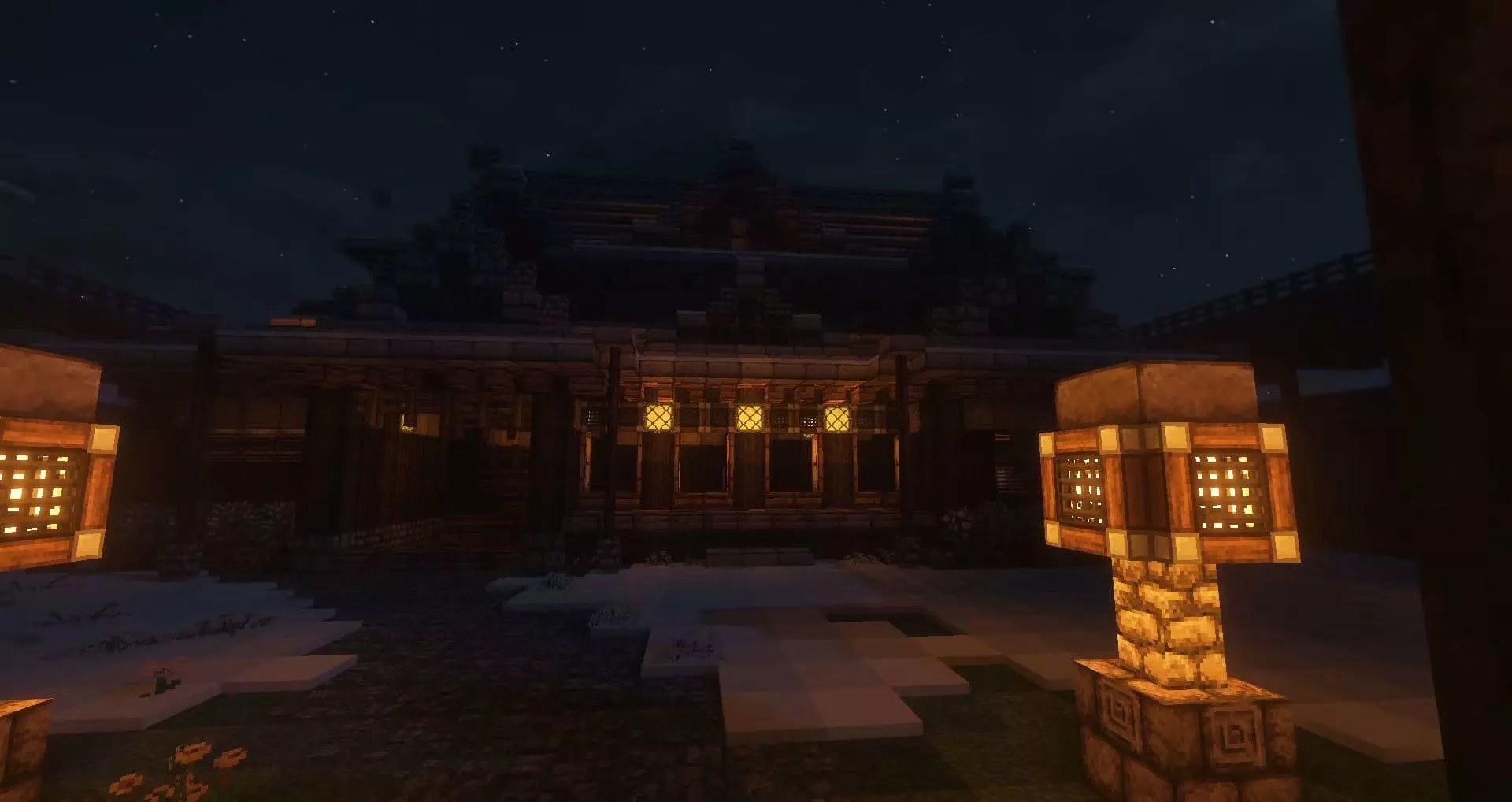
MC
在Rikkaの六花服务器里留下的足迹
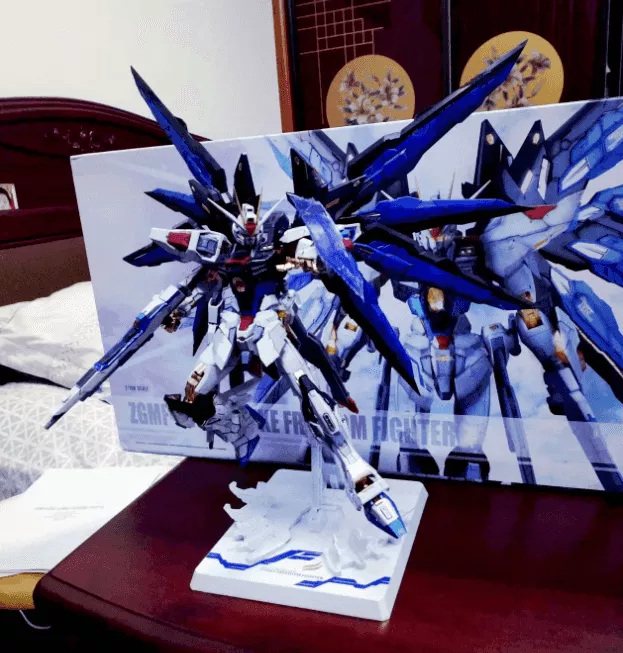
Gundam
哦咧哇gundam哒!
I-am-Akilar
某种意义上也算自拍吧
gallery 相册
[{"url":"https://bu.dusays.com/2023/06/01/647896b15759c.jpg","alt":""},{"url":"https://bu.dusays.com/2023/06/01/647896cabde59.jpg","alt":""},{"url":"https://bu.dusays.com/2023/06/01/647896eb0f3ea.jpg","alt":""},{"url":"https://bu.dusays.com/2023/06/01/647890012b1ec.webp","alt":""},{"url":"https://i.loli.net/2019/12/25/6nepIJ1xTgufatZ.jpg","alt":""},{"url":"https://i.loli.net/2019/12/25/E7Jvr4eIPwUNmzq.jpg","alt":""},{"url":"https://i.loli.net/2019/12/25/mh19anwBSWIkGlH.jpg","alt":""},{"url":"https://i.loli.net/2019/12/25/2tu9JC8ewpBFagv.jpg","alt":""}]
加载更多
对于很多同学提问的gallerygroup和gallery相册页的链接问题。这里说下我个人的使用习惯。
注意 ⚠️:本站相册集为单独优化,可参考配置相册页面。
gallerygroup 相册图库
1 2 3 4 5 <div class ="gallery-group-main" > {% galleryGroup MC 在Rikkaの六花服务器里留下的足迹 '/wordScenery/' https://bu.dusays.com/2023/06/01/64788f24d05bd.webp %} {% galleryGroup Gundam 哦咧哇gundam哒! '/thousand/' https://bu.dusays.com/2023/06/01/64788f456fc3d.webp %} {% galleryGroup I-am-Akilar 某种意义上也算自拍吧 '/wallpaper/' https://bu.dusays.com/2023/06/01/64788f83e5fa1.webp %} </div >
gallery 相册
1 2 3 4 5 6 7 8 9 10 {% gallery true,,2 %}         {% endgallery %}


 xaoxuu




 一段话。
一段话。 一段话。
一段话。